Your morning,
drawn.
Add this to your Claude once and every morning it draws your day for you, from your own calendar and inbox. Nothing extra to manage. The steps are below, and there are only three.
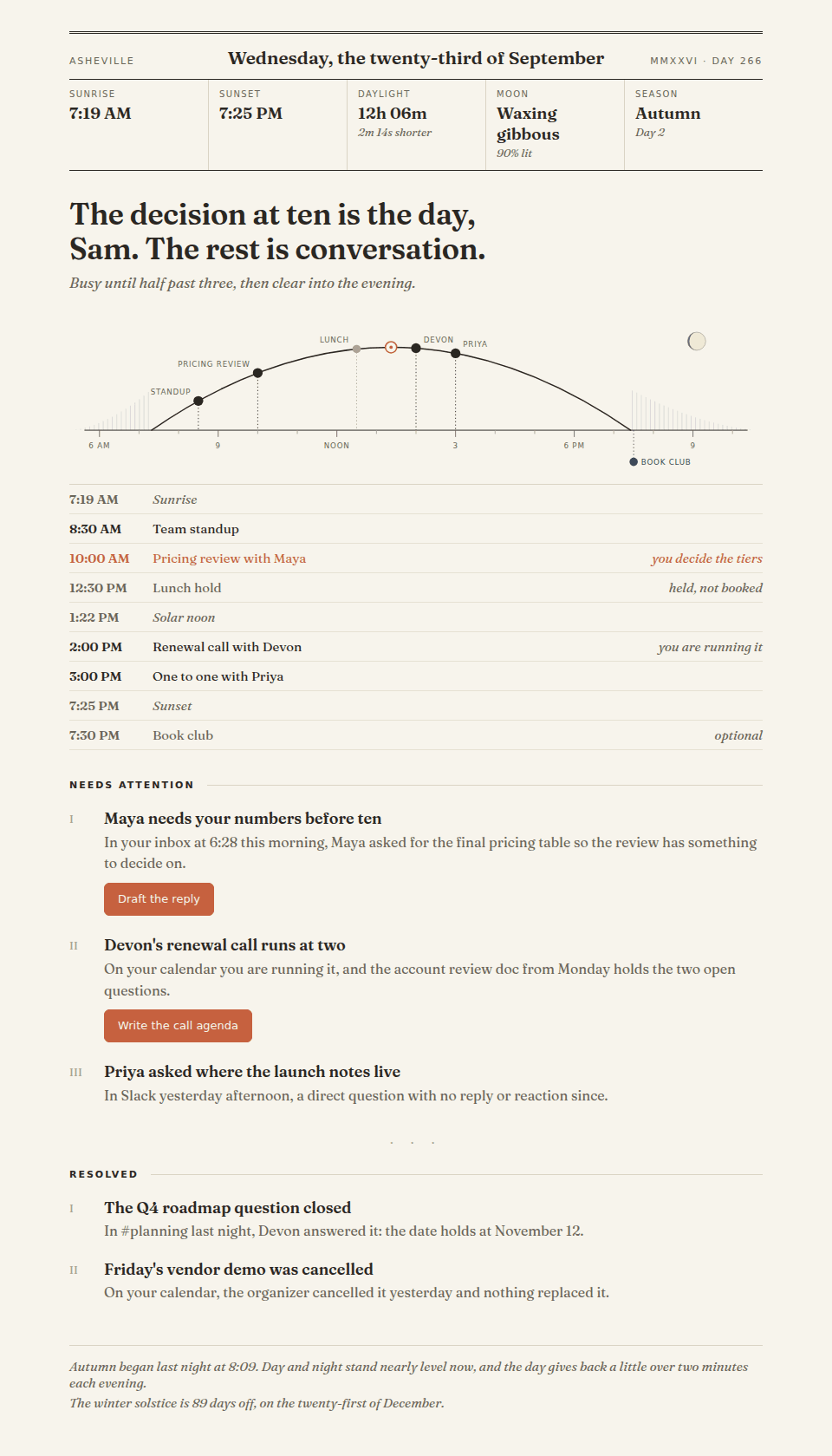
One calm page over coffee, set like an almanac: today’s real sunrise and moon where you live, your day drawn along the sun’s arc, the few things that need you, and what already sorted itself out.
Three steps, honestly counted
1.Download the skill.
The button above saves one small zip. On an iPhone, Safari tucks it into your Files app on its own. On a Mac, Safari unpacks zips as they arrive: if you end up with a folder called morning rather than a zip, untick “Open safe files after downloading” in Safari, then Settings, then General, and save it again.
2.Upload it to your Claude, once.
Open claude.ai in your browser: Customize, then Skills. If a Morning Brief skill is already listed there, remove it first: Claude keeps both copies otherwise, and both can answer. Then tap the plus, choose Upload a skill, and pick the zip you just saved. This works right in mobile Safari.
3.Type /morning.
That’s the whole ritual. To make it daily, tell Claude: “Set up my morning brief as a scheduled task, weekdays at 7am, my timezone. Include action buttons.” Setting the schedule is easiest from a desktop or the web today; the brief itself still lands on your phone every morning as a push.
You’ll need: a paid Claude plan (Pro and up), with code execution turned on under Settings, then Capabilities. Then, in Claude’s connector settings, connect wherever your calendar and mail actually live: Google, or Microsoft 365. Slack or Teams too, if chat is part of your mornings. Apple Mail and Apple Calendar are apps rather than accounts, so if you live in those, read this first.
Your mornings never leave your hands.
The whole thing runs inside your own Claude, against accounts you connected there. We host a zip file. That’s all we ever see.
Fair questions
Where does my data go?
Nowhere. The skill is a recipe, not a service: your own Claude reads your own connected calendar and inbox and draws the page right there. Nothing ever touches an ElleBee server, and we never see a word of it.
I live on a Mac and an iPhone. Does this work?
Usually yes, and you keep your apps. Claude connects to accounts, not to the apps on your Mac, and Apple Mail and Apple Calendar are windows onto whatever account you signed them into. Open Mail, then Settings, then Accounts, and look at what is listed there. If you see Google or Microsoft, connect that one in Claude and carry on reading your mail exactly where you read it now.
If it says iCloud and nothing else, here is the straight answer: Claude has no built-in connector for iCloud mail or an iCloud calendar. The Claude app on an iPhone can read your Apple Calendar when you ask it there, but it never reads Apple Mail, so the half of this brief that watches your inbox would have nothing to read. The way in is to add a Google or Microsoft account to the same Apple apps you already use, and point the brief at that.
What does it cost?
The skill is free, from us to you. You pay whatever your Claude plan already costs; uploading custom skills needs a paid plan (Pro and up) with code execution turned on.
Can my team get it?
Yes. On Claude Team and Enterprise plans, one admin uploads the same zip once and everyone in the workspace has it.